The Kitchen Social
TL;DR
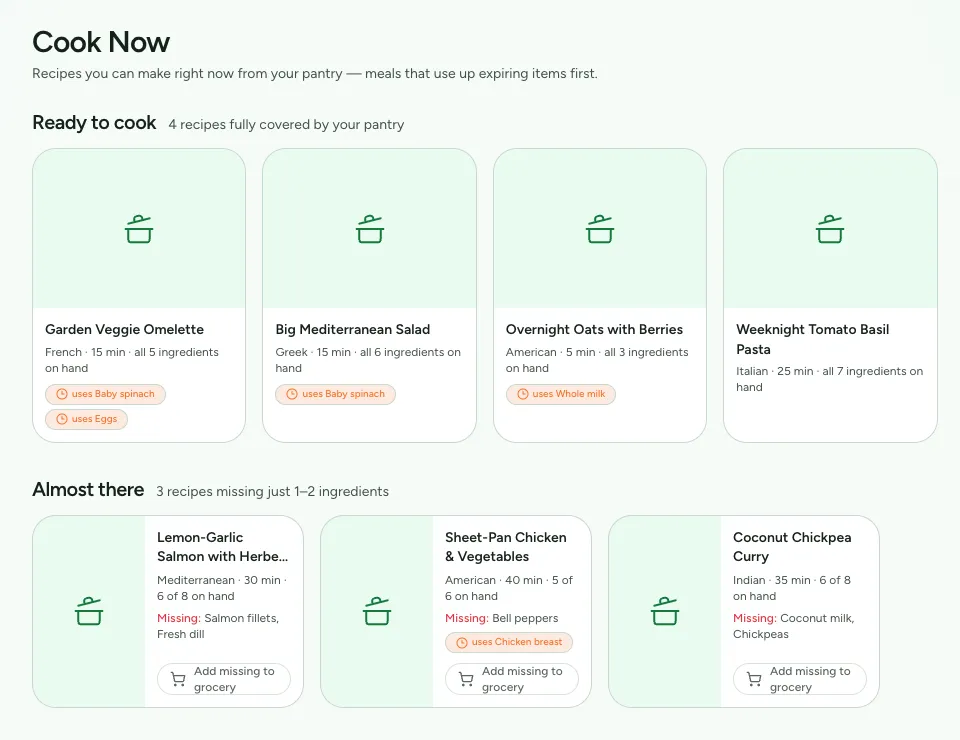
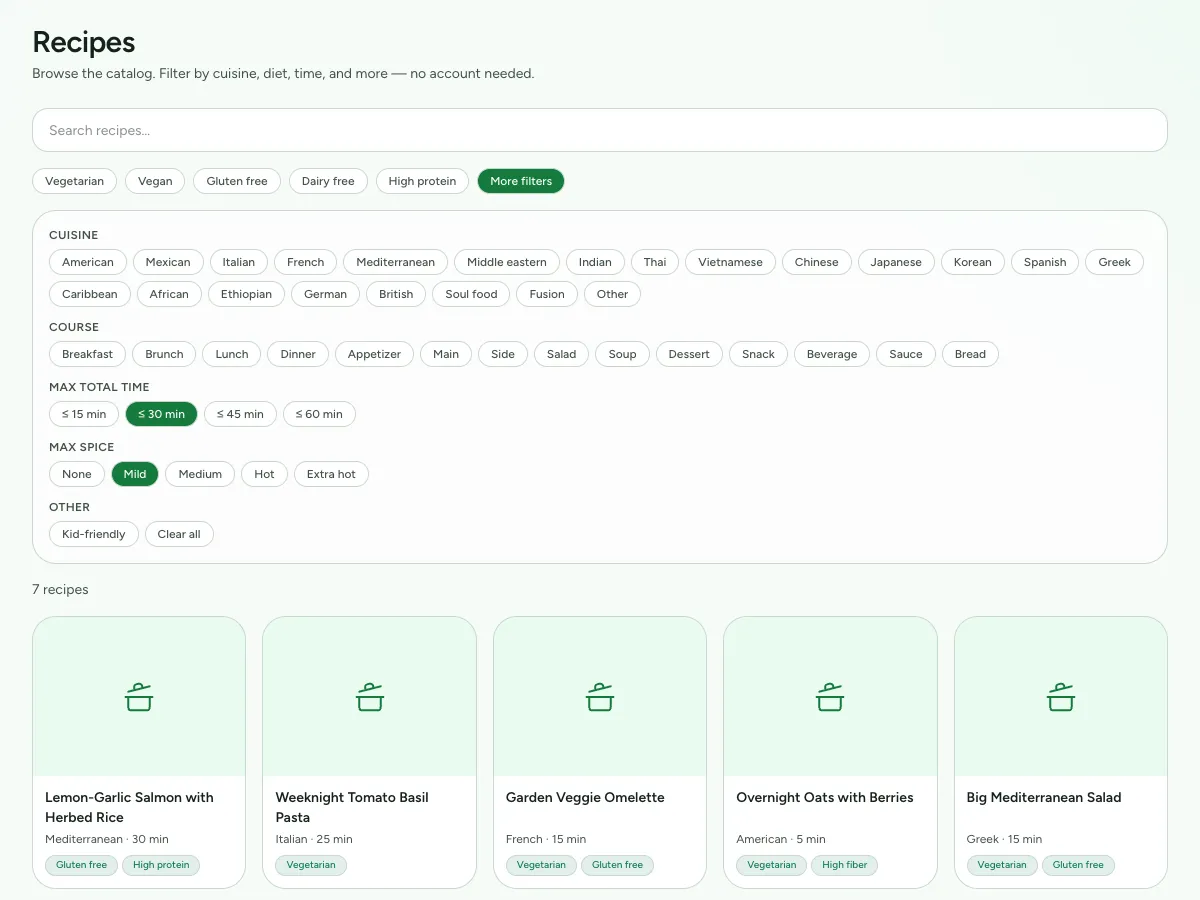
The Kitchen Social helps people make the most of what's already in their pantry. You scan or type what you have, and it tells you what you can cook, filtered by time, cuisine, dietary needs, spice level, and a dozen other things people weigh at 6pm on a Tuesday.
It's built with Kotlin Multiplatform and Compose Multiplatform, so Android, iOS, desktop, and a Raspberry Pi all run the same shared code, with a Ktor server and a Next.js web client alongside.
Fun Fact
For a while, every one of the 789 imported recipes said it took exactly 45 minutes. The step that fills in recipe details had fallen back to a fixed default, and because the cards show prep plus cook time, the whole catalog agreed with itself perfectly while being wrong about almost every recipe.
The fix reads the times the instructions already mention, figures out what each one refers to, and ignores preheating and storage notes so nothing is counted twice. The catalog now has 182 different total times and a median of 56 minutes.
The idea
Most cooking apps start with a recipe and send you shopping. This one starts with what's on your shelf. It's built to answer the question people actually ask in a kitchen: what can I make right now, with what I already have, in the time I have? Everything in the app exists to answer that.
That means two pieces have to work together: a pantry that knows what you own, and a catalog that knows what things are.
Getting food into the pantry without typing
Manual entry is where pantry apps fail. Almost nobody keeps an inventory up to date by hand for more than a week, so getting items in got the most attention:
- Barcode scanning, with built-in support for the scanners I own and standard USB support for anything else. Scan an item, check what came back, then save it.
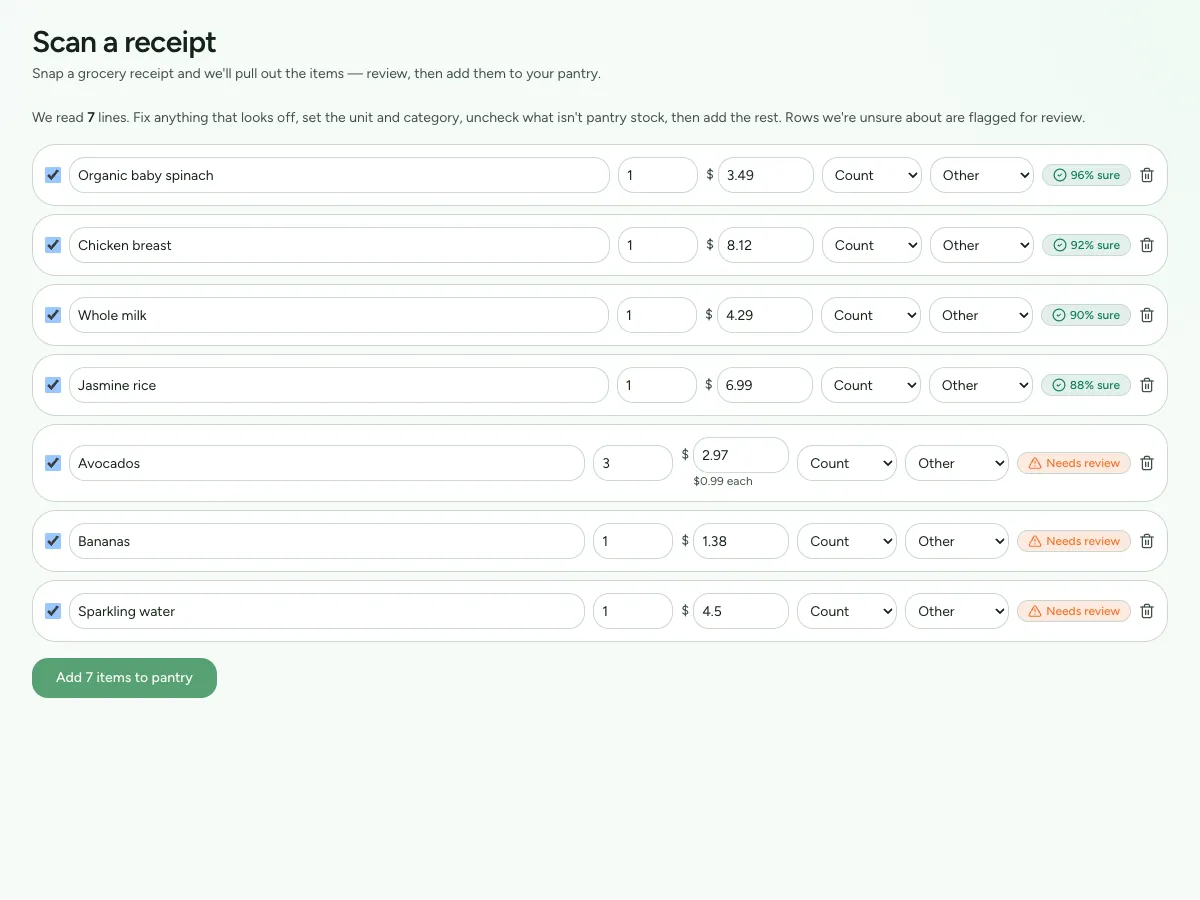
- Receipt import. Take a photo of the receipt, review the items it found, fix anything it got wrong, then add them all at once.
- Automatic deduction when you cook something, so making a recipe removes its ingredients instead of leaving you to remember.
Behind all of that is a catalog of real food data, including raw ingredients, brand-name products, and generics, with nutrition facts and, where possible, expected shelf life. It's built from public food databases so the app can include a downloadable copy and doesn't need an internet connection to identify a can of beans.
One codebase, five places it runs
I picked the technology before the requirements were fully written down, which is usually how you end up regretting it. This time it worked out. Kotlin Multiplatform with Compose Multiplatform lets Android, iOS, and desktop share the same interface and the same code. The desktop version also runs on a Raspberry Pi, and a Ktor server uses the same data model as every app, so they can't drift out of sync.
The code is organized in strict layers. Apps depend on features, features depend on a shared core, and nothing depends on a layer above it. Features never depend on other features. The one exception to the pattern is the hardware module, which doesn't know about the food data at all. It only reports raw readings, and turning "the scanner read these digits" into "a can of chickpeas was added to the pantry" happens in a higher layer. That separation is what let a fake scanner stand in for the real ones throughout development and testing without the rest of the app knowing the difference.
The 45-minute bug
Each recipe card shows a total time: prep plus cook. At one point, every card in the catalog said "45 minutes."
The recipes had been imported without an API key, so every one of them used the fallback, and the fallback always answered 15 minutes of prep and 30 minutes of cooking, 789 times over. Nothing crashed and nothing looked broken. The cards looked great. But the total-time filters, one of the main ways to narrow down the catalog, weren't filtering anything.
The fix was to stop guessing and read what the recipes already said. The new estimator finds the times mentioned in the instructions and works out what each one refers to (cooking, waiting, or preheating, which gets dropped). It skips storage notes, alternate methods, and references back to earlier steps so nothing gets counted twice. Hands-on prep time is estimated from the number of ingredients and how much chopping is involved. A default for the type of dish only applies when a recipe doesn't mention a time anywhere.
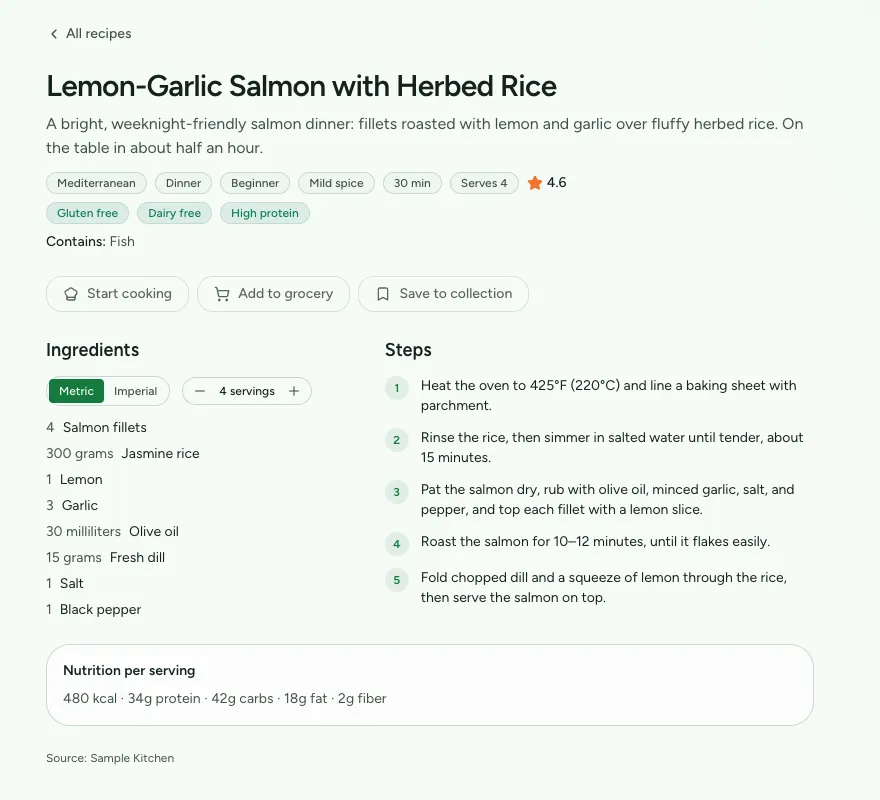
Two details matter most to me. First, it uses the same rules for reading times as the step timers in the cooking view, so a timer and a card can never disagree about the same sentence. Second, waiting time counts (marinating, rising, chilling), up to eight hours, because the card is answering "can I cook this tonight?" and an overnight marinade means the answer is no.
A cleanup script then fixed the recipes that had already been imported, changing only the ones that still had the exact fallback values so real times from the original source were never overwritten.
The look
The visual style was decided early: colorful, lively, and animated, and intentionally different from the muted, minimal look most food apps use. There are no photos of people anywhere. Everything is illustrated, with cartoon food characters giving it personality.
The style lives in its own design module that every feature is built on, so the look is shared code and not just a guideline people have to remember.
What isn't built yet, on purpose
The repository lists these, and they're worth repeating here. Storage started out in memory behind a standard interface, so a real database can be added later without changing anything built on top of it. Support for real scanner hardware sits behind the same interface the fake scanner uses. And date handling was put off while the library I wanted was in the middle of a major update, instead of adopting it early and rewriting it later.
Putting things off on purpose, writing down why, and leaving a clean place to add them later is what makes this a project I can set down for a month and pick back up.